
Overall Score
19
Top 50%
of AI companies

by Chatbot UI🇺🇸
Chatbot UI is an AI tool built by Takeoff AI intended to facilitate interaction with numerous AI models. It offers a user interface (UI) des
Chatbot UI is an AI tool built by Takeoff AI intended to facilitate interaction with numerous AI models. It offers a user interface (UI) designed to streamline the process of chatting with AI programs. The tool delivers an inclusive experience that allows users to engage with over 80 AI models, alth...
Overall Score
19
Top 50%
of AI companies
Overall Score
19
GitHub Stars
33K
Monthly Visits
13K
Community Rating
3.0
Chatbot UI is an AI tool built by Takeoff AI intended to facilitate interaction with numerous AI models. It offers a user interface (UI) designed to streamline the process of chatting with AI programs. The tool delivers an inclusive experience that allows users to engage with over 80 AI models, alth...
Latest detected signals across traffic, developer activity and community mentions.
| Keyword | Volume / Mo | CPC |
|---|---|---|
| chatbot ui | 4,660 | $1.51 |
| chatbotui | 230 | — |
| чат бот аниме | 220 | — |
| chatui | 1,220 | $1.96 |
| chatbot-u | 90 | — |
Chatbot UI is an AI tool built by Takeoff AI intended to facilitate interaction with numerous AI models. It offers a user interface (UI) designed to streamline the process of chatting with AI programs. The tool delivers an inclusive experience that allows users to engage with over 80 AI models, alth...
Get notified when score, traffic, GitHub or community signals change.
Six signals, each 0–100, blended into the overall by their listed weight.
Generated from public signals and search intent.
Each dimension is weighted (traffic 20% · community 25% · growth 15% · momentum 15% · innovation 10%) and combined into the overall.
Launched on Product Hunt
GitHub repo created
Launched on Product Hunt
GitHub repo created
| Keyword | Volume / Mo | CPC |
|---|---|---|
| chatbot ui | 4,660 | $1.51 |
| chatbotui | 230 | — |
| чат бот аниме | 220 | — |
| chatui | 1,220 | $1.96 |
| chatbot-u | 90 | — |
Saves
489.5K
Rating
3.0
2 reviews
Views
6.4K
Category
ChatGPT
Pros · 27
Cons · 5
Rating distribution
User reviews · 1
Absolute BS crap. Don't bother, waste of money and it is just a trap
Release history · 1+
Initial release of Chatbot UI.
Q&A · 21
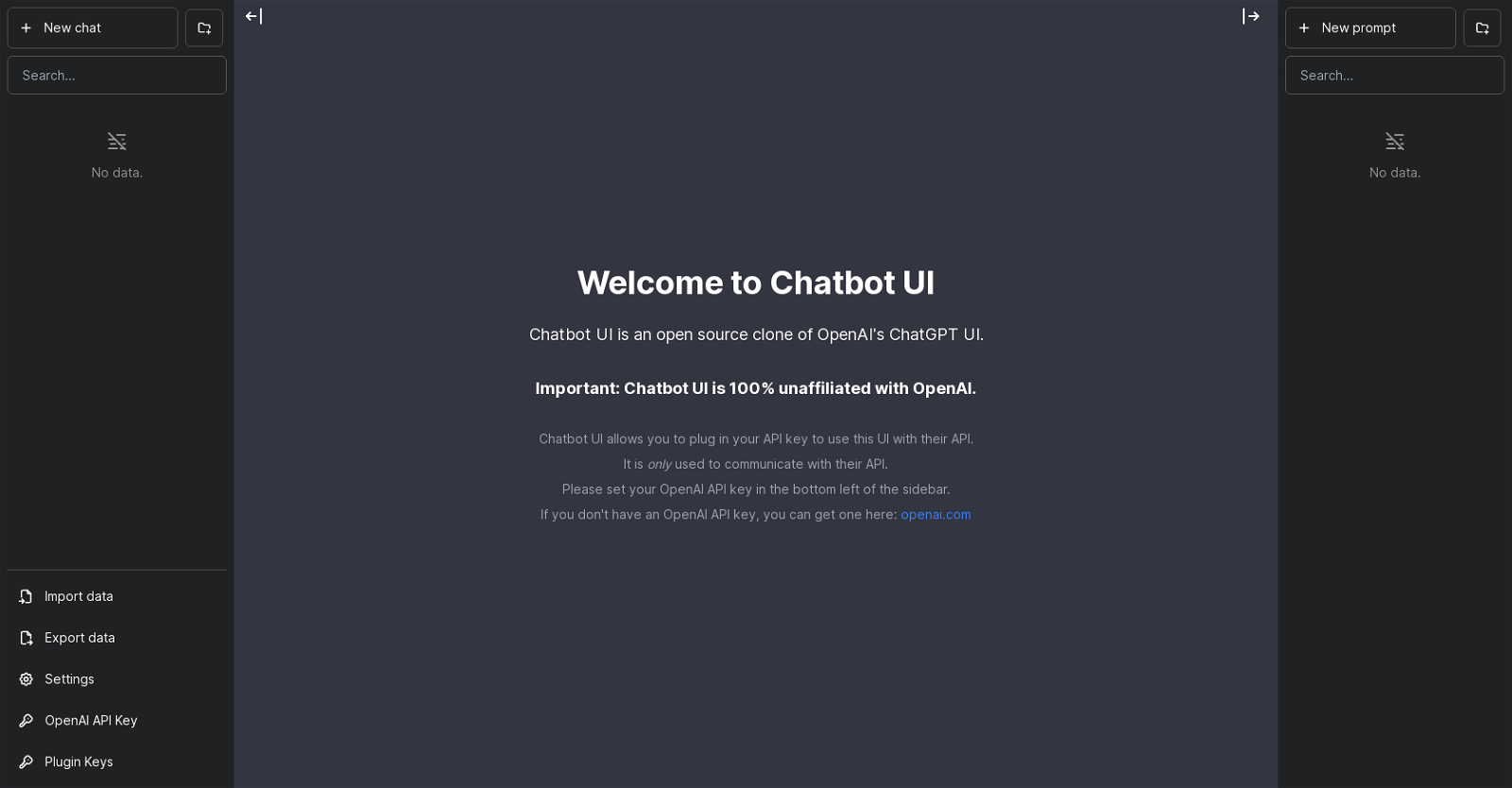
Chatbot UI is an open source tool developed by Takeoff AI. It's designed to streamline the communication between users and a variety of AI models, encapsulating a progressive web application. It offers an alternative to OpenAI's ChatGPT UI and requires the user to input their OpenAI API key to function.
Chatbot UI enhances OpenAI's ChatGPT UI by providing a simple and user-friendly interface to interact with the AI models. It allows users to start a new chat, import and export data, and has settings and plugin keys. It is designed to be accessible to users regardless of their level of tech-savviness.
Key features of Chatbot UI include: starting a new conversation, initiating a new chat, and the ability to import and export data. Users can also adjust specific settings and input plugin keys. It offers the 'New Prompt' feature for entering new data, and provides an easy connection to OpenAI's API.
To connect Chatbot UI with OpenAI's API, you need to input your OpenAI API key into the designed field in the bottom left of the sidebar.
No, Chatbot UI does not function without an API key. It requires the user to provide their OpenAI API key to connect and work properly.
Alternatives — peer set
Automated conversational interface for maximum efficiency
AI assistant that gets your tasks done. Smarter than ChatGPT.
Chat with AI models on an Infinite Canvas
Free AI chat and image creation, no signup required
The best AI writer and chatbot for your needs
Visualize ChatGPT conversations on a canvas board.
How do you feel about this company?
Your vote helps improve ranking signals.
Badge
A lightweight SVG badge showing the score.
<a href="https://indexator.ai/companies/chatbot-ui" target="_blank" rel="noopener">
  <img src="https://indexator.ai/api/embed/badge/chatbot-ui" alt="Chatbot UI Score on Indexator.ai" width="200" height="60" />
</a>Score Card
An embeddable card with score breakdown.
<iframe src="https://indexator.ai/api/embed/card/chatbot-ui" width="300" height="200" frameborder="0" style="border:none;border-radius:8px"></iframe>Category Leaderboard
Top 10 in Foundation Models.
<iframe src="https://indexator.ai/api/embed/leaderboard?category=Foundation%20Models" width="300" height="400" frameborder="0" style="border:none;border-radius:8px"></iframe>